View EPUB 3.0 Metadata List with Calibre
Q
How to see more EPUB 3.0 metadata list with Calibre?
✍: FYIcenter.com
A
 You can follow this tutorial to view EPUB 3.0 metadata list with Calibre.
1. Click Row-Your-Boat-3.0.epub to download this sample EPUB 3.0 book.
2. Add Row-Your-Boat-3.0.epub to Calibre book library. You see some EPUB 3.0 metadata displayed below the book cover
3. Double click on the book to open it.
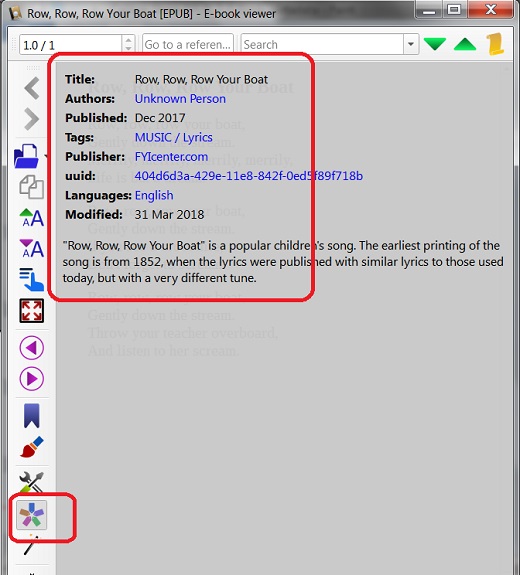
4. Click the metadata icon on the left edge of the book reader. You see more metadata fields listed as shown in the picture below:
⇒ Introduction of EPUB 3.1 Specification
2018-04-28, ∼3345🔥, 0💬
Related Topics:

