Read PDF Book with Kindle for PC
Q
How to Read PDF Book with Kindle for PC?
✍: FYIcenter.com
A
 You can follow this tutorial to open and read a PDF book with "Kindle for PC".
1. Search and run "Kindle for PC" on your Windows computer.
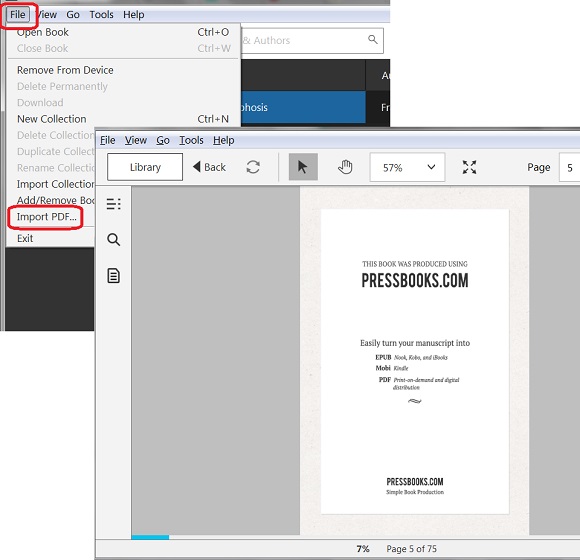
2. Click "File > Import PDF..." menu. You see the open file screen.
3. Locate and select the PDF book you want to open. You see the first page of the book displayed.
The picture below shows you how to open and read PDF book with Kindle for PC:
⇒ EPUB not Supported on Kindle for PC
2018-07-13, ∼1967🔥, 0💬
Related Topics:
