Run and Register Kindle for PC
Q
How to Run and Register Kindle for PC?
✍: FYIcenter.com
A
 You can follow this tutorial to run and register Kindle for PC
on your Windows computer.
You can follow this tutorial to run and register Kindle for PC
on your Windows computer.
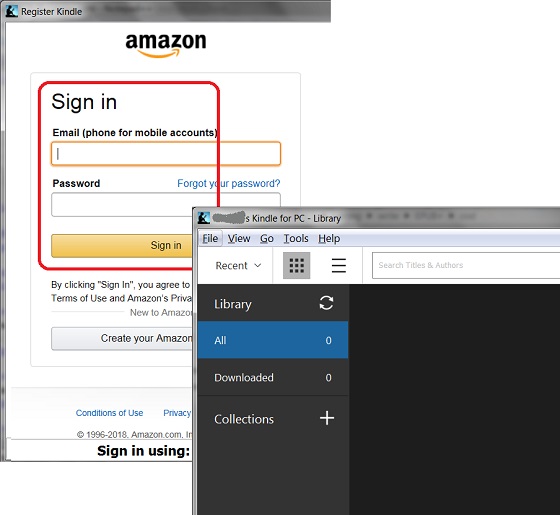
1. Search and run "Kindle for PC" on your computer. You see the Amazon sign screen. This is needed to register your Kindle for PC with an Amazon account.
2. Sign in with your Amazon account. You see the "Kindle for PC" main screen.
You see an empty library, if you have no EPUB books in your Amazon account.
The picture below shows you how to run and register "Kindle for PC" on Windows systems:
2022-07-01, ∼2233🔥, 0💬
Related Topics:
