JSON to XML Conversion at browserling.com
Q
How to use the JSON to XML Conversion Tool at browserling.com?
✍: FYIcenter.com
A
 If you want to try the JSON to XML Conversion Tool at browserling.com,
you can follow this tutorial:
If you want to try the JSON to XML Conversion Tool at browserling.com,
you can follow this tutorial:
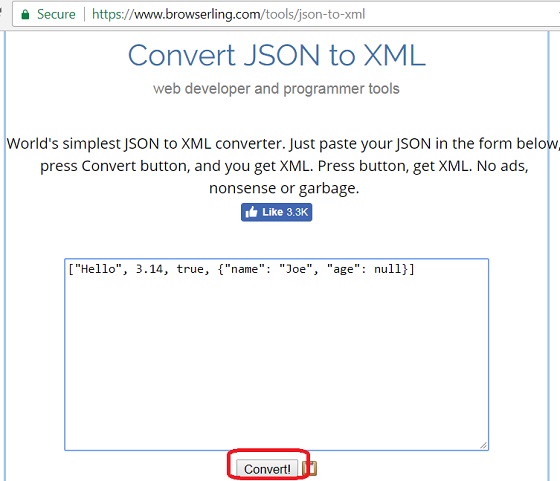
1. Go to the JSON to XML Conversion Tool page at browserling.com.
2. Enter the following JSON value in the text area:
["Hello", 3.14, true, {"name": "Joe", "age": null}]
3. Click the "Convert!" button to convert it to XML. You see the following output near the bottom:
<0>Hello</0>
<1>3.14</1>
<2>true</2>
<3>
    <name>Joe</name>
    <age/>
</3>
Note that the conversion used some implicit rules:
- No root tag is added, which makes the output as an invalid XML.
- "0", "1", ... are used as the tag name for JSON array element, which are invalid in XML format.
- JSON Null value is converted to an empty text content element.
So the JSON to XML conversion tool at browserling.com is not good.
The picture below shows you how to use the online JSON to XML conversion tool at browserling.com:
2023-08-25, ∼2678🔥, 0💬
Related Topics:
