HTML 'map' Tag/Element
Q
What Is a "map" Tag/Element?
✍: FYIcenter.com
A
 A "map" element is special inline element that you to define map entries to be
used by image maps. Here are some basic rules on "map" elements:
A "map" element is special inline element that you to define map entries to be
used by image maps. Here are some basic rules on "map" elements:
- "map" elements are inline elements.
- "map" elements can not have text contents.
- "map" elements should have "area" elements as sub-elements.
- A "map" element requires the "id" attribute to be specified.
- A "map" element should have the "name" attribute specified a reference name to be used by an image map with the "usemap" attribute.
- Each "area" element inside a "map" element defines a map entry for the browser to look up based on the mouse coordinates on the image map .
Here is a tutorial example of an client-side image map with map entries defined:
<?xml version="1.0" ?>
<!DOCTYPE html PUBLIC "-//W3C//DTD XHTML 1.0 Strict//EN"
  "http://www.w3.org/TR/xhtml1/DTD/xhtml1-strict.dtd">
<html>
 <head>
  <title>Image Map Entries</title>
 </head>
 <body>
  <h4>Inline Images</h4>
  <p style="background-color: #eeeeee; padding: 8px;">
   This is a client-side image map test.
   Click this image <img src="/moonrise.jpg" alt="Moonrise"
    width="69" height="91" ismap="ismap" usemap="#mymap"/>
   to see what happens. Use browser back button to come
   back.
   <map id="map1" name="mymap">
    <area href="http://localhost/upperLeft"
     alt="Upper Left" coords="1,1,35,45"/>
    <area href="http://localhost/upperRight"
     alt="Upper Right" coords="36,1,69,45"/>
    <area href="http://localhost/lowerLeft"
     alt="Lower Left" coords="1,46,35,91"/>
    <area href="http://localhost/lowerRight"
     alt="Lower Right" coords="36,46,69,91"/>
   </map>
  </p>
 </body>
</html>
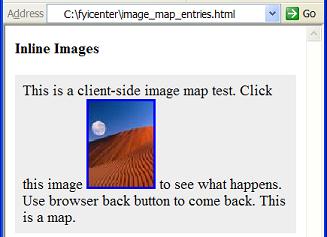
If you save the above document as image_map_entries.html, and view it with Internet Explorer, you will see an image embedded in a paragraph. Click different parts of the image to see what happens.
⇒ HTML 'div' and 'span' elements
⇐ Client-Side Image Maps in HTML
2017-03-22, ∼2063🔥, 0💬
Related Topics:
